Introduction
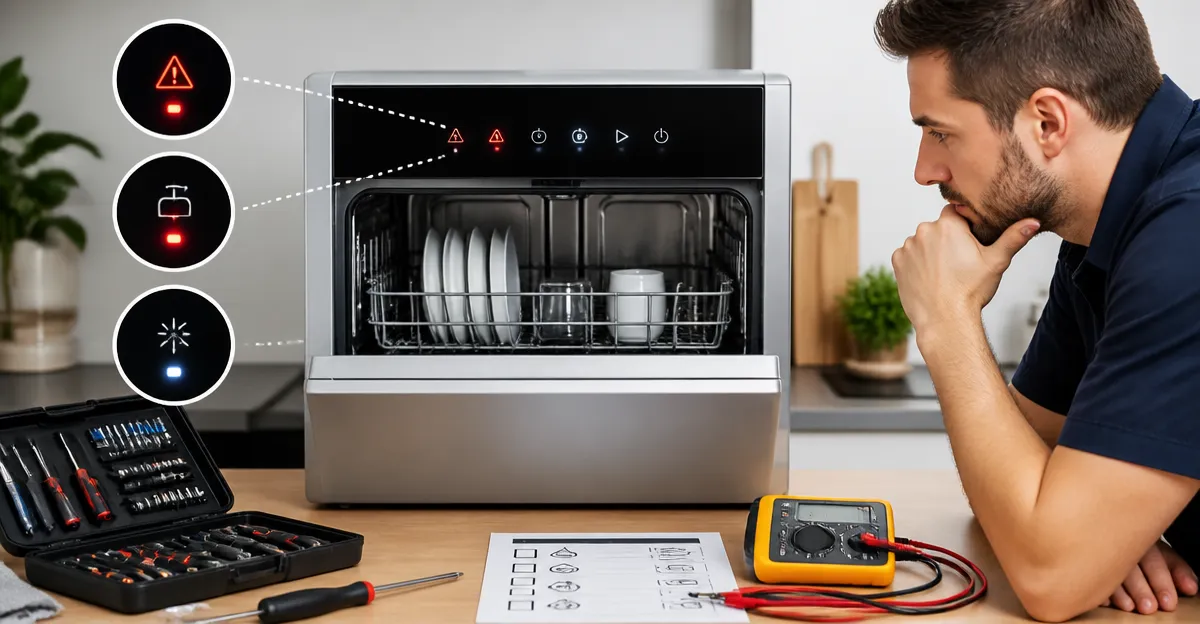
Countertop dishwashers provide a convenient alternative to full‑size appliances, yet they occasionally display error codes or flashing indicator lights that can interrupt daily routines. This guide explains how to interpret those signals, perform quick fixes, and reset the unit so that it returns to reliable operation. Readers will learn systematic diagnostic steps, the tools that simplify each task, and best‑practice maintenance habits that prevent future failures. By following the procedures, one can avoid costly service calls and extend the lifespan of a compact dishwasher.
What You’ll Need
- A soft‑bristle cleaning brush or old toothbrush for filter and spray‑arm cleaning.
- A small bucket or pitcher for manually filling the built‑in water tank.
- Adjustable wrench or pliers for tightening hose connections.
- Access to the user manual for model‑specific error‑code tables.
- Optional: a COMFEE Countertop Dishwasher for reference installation and spare parts.
Step 1: Identify the Error Code or Indicator Light
The first action is to note the exact pattern of flashes, beeps, or displayed digits. Most countertop models use a numeric code (for example, "E1" for water‑level error) or a series of blinking LEDs to indicate the fault. Consult the product’s manual and locate the error‑code table; the table translates each code into a descriptive problem such as “insufficient water,” “drain blockage,” or “over‑temperature.” Recording the code accurately prevents misdiagnosis and speeds up the reset process.
Step 2: Verify Power Supply and Reset the Unit
Before inspecting internal components, ensure that the dishwasher receives stable power. Unplug the appliance, wait 30 seconds, and plug it back in. This simple power‑cycle clears transient faults and often resets the control board. If the unit features a dedicated reset button, press and hold it for five seconds as instructed. After power restoration, observe whether the error indicator disappears. A successful reset indicates a temporary glitch; otherwise, proceed to the next diagnostic step.
Step 3: Check Water Supply and Tank Level
Many error codes arise from inadequate water. If the model is connected to a faucet, confirm that the hose is securely attached and that the faucet is fully opened. For units that rely on a built‑in tank, use a pitcher to fill the tank to the indicated level; the COMFEE Portable Countertop Dishwasher includes a convenient 5 L tank and a measuring pitcher, making manual filling straightforward. The dishwasher’s water‑level indicator will illuminate once the correct volume is reached. Ensure that the water temperature meets the minimum requirement (typically 120 °F) for optimal cleaning performance.
Step 4: Inspect the Drain Hose and Pump
A clogged or kinked drain hose often triggers a “drain error” code. Disconnect the hose from the sink or drainage container and examine it for obstructions. Use a flexible brush to clear any debris, then reattach the hose, tightening the clamp with an adjustable wrench. Verify that the hose slopes downward toward the drain to allow gravity‑assisted flow. If the dishwasher includes a pump, listen for a humming sound during the drain cycle; absence of noise may indicate a faulty pump that requires professional service.
Step 5: Clean the Filter and Spray Arms
Food particles trapped in the filter or spray‑arm nozzles can cause “cleaning inefficiency” codes. Remove the lower rack, locate the filter basket, and rinse it under warm water using a soft brush. For the spray arms, detach them if the manual permits, and clear each jet with a toothpick or a thin wire. The NOVETE Portable Countertop Dishwasher features dual spray arms that are designed for easy removal, allowing thorough cleaning without disassembly of the entire unit. Reinstall all components securely before restarting a cycle.
Step 6: Verify Temperature Sensors and Thermostat
Some error codes relate to overheating or sensor failure. Ensure that the dishwasher’s heating element is not covered by large pots or metal trays that could block heat distribution. If the model provides a self‑diagnosis mode (often accessed by holding the start button for three seconds), activate it to test the temperature sensor. The EUHOMY Countertop Dishwasher includes a high‑temperature “Baby Care/Strong” program that reaches 167 °F, demonstrating reliable sensor performance when the unit operates without error.
Step 7: Run a Test Cycle with Minimal Load
After addressing water, drain, and cleaning issues, run a short “Speed” or “Quick” program with a few dishes. Observe whether the error indicator reappears. A successful test confirms that the underlying problem has been resolved. If the code persists, note any new symptoms such as unusual noises or leaks, as these details will guide deeper troubleshooting or warranty service.
Tips & Pro Tips
- Always keep a spare faucet adapter on hand; the COMFEE Countertop Dishwasher includes an adapter that fits most standard kitchen faucets, reducing installation frustration.
- Use high‑efficiency dishwasher detergent pods; they dissolve quickly and leave minimal residue, which helps maintain the internal filter.
- Schedule a monthly self‑clean cycle (if available) to prevent mineral buildup; the EUHOMY Countertop Dishwasher offers a dedicated “Self‑Clean” program.
- When connecting to a faucet, avoid pull‑out faucet types unless a compatible adapter is confirmed, as high‑pressure water can damage the hose.
- Document recurring error codes in a notebook; repeated patterns may indicate a component that requires replacement under warranty.
Troubleshooting Common Problems
| Problem | Likely Cause | Solution |
|---|---|---|
| Flashing red light | Insufficient water level | Fill the tank to the indicated line or check faucet connection. |
| Continuous beeping | Drain blockage | Clear the drain hose and verify pump operation. |
| Code “E3” (over‑temperature) | Faulty thermostat or blocked heating element | Remove any metal items covering the element and run a self‑clean cycle; contact support if error persists. |
| Dishware remains wet | Drying function not engaged | Activate the extra‑dry option; ensure the door is slightly ajar after the cycle to allow airflow. |
Conclusion
By systematically checking power, water supply, drainage, filters, and sensors, one can resolve the majority of error codes that appear on countertop dishwashers. The quick‑fix methods described above reduce downtime and eliminate unnecessary service expenses. Maintaining a regular cleaning schedule and using appropriate accessories, such as the COMFEE Portable Countertop Dishwasher pitcher for manual filling, further enhances reliability. Readers are encouraged to apply these steps whenever an indicator light signals trouble, and to keep this guide as a reference for future maintenance.
Products Mentioned in This Guide
Frequently Asked Questions
What do flashing lights on a countertop dishwasher indicate?
Flashing lights are error signals that correspond to specific fault codes; consult the user manual to match the pattern to the issue.
How can I reset a countertop dishwasher after an error code appears?
Turn off the unit, unplug it for 1 minute, then plug it back in and press the reset button or start cycle to clear most errors.
Which tools are needed to clean the filter and spray arm?
A soft‑bristle brush or old toothbrush and a small bucket of warm water are sufficient for routine cleaning.
What causes a water‑tank‑empty error and how do I fix it?
The built‑in tank is low or not properly seated; fill it with water and ensure the tank clicks into place.
When should I tighten hose connections on a countertop dishwasher?
If you see leak warnings or error codes related to water flow, use an adjustable wrench or pliers to secure the hose connections firmly.